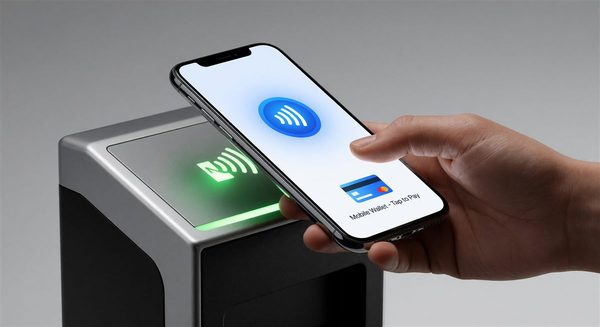
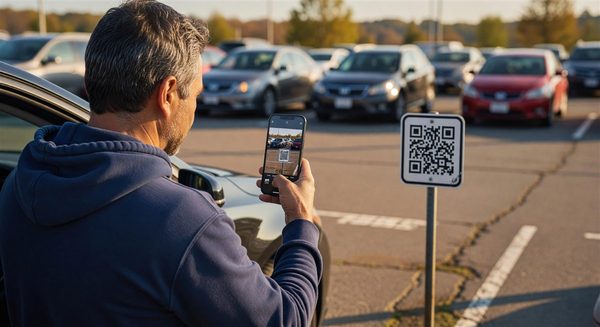
An attendant standing in a lot with a phone can now take a contactless card payment without a clip-on reader, a Bluetooth pairing or a separate terminal. That is the promise of Tap to Pay on iPhone and of SoftPOS, a broader category where the phone’s own NFC antenna reads the card or wallet. For parking operators it opens options at event overflow lots, valet and attended entrances, and as a backup when a pay station fails. It also moves a lot of security and reconciliation responsibility onto software that someone else maintains.
What the Technology Actually Is
Apple announced Tap to Pay on iPhone in February 2022 for U.S. merchants, describing acceptance of contactless credit and debit cards, Apple Pay and other digital wallets using only an iPhone and a partner-enabled app. The announcement named iPhone XS and later as the supported devices, and Stripe was the first platform named, delivered through a Shopify app. Apple’s developer page makes the structure clear: the feature is not an app you download from Apple. Payment service providers integrate it into their own apps, handle the certification and security obligations, and request the necessary entitlement from Apple.
For an operator, this means you do not buy “Tap to Pay on iPhone”. You choose a payment provider whose app supports it, and the provider’s pricing, reporting and settlement come with it. Requirements vary by provider. Woo’s documentation lists an iPhone XS or newer with a passcode and iCloud sign-in, while SwipeSimple states a higher minimum of iOS 17.4 and an Apple Account on the device. Minimum software versions and country availability change, so confirm the current requirements with your provider before you plan a rollout; no single authoritative list was found.
SoftPOS is the general term for the same idea across platforms, including Android devices. Its security framework comes from the PCI Security Standards Council, which published the Mobile Payments on COTS (MPoC) standard in November 2022 and a revised version 1.1 in November 2024. MPoC builds on earlier standards for software-based PIN entry and contactless acceptance on commercial off-the-shelf devices, and it adds support for PIN entry on the phone itself, offline payments and manual entry. Ask any SoftPOS vendor whether its solution is certified under MPoC, or under the earlier CPoC or SPoC standards, which the card networks have not yet retired.
Where It Fits in Parking
Attended entrances and event lots. A handful of phones can multiply acceptance points for a stadium surge without installing fixed terminals, cabling or power.
Lane-busting and exception handling. An attendant can meet a stuck vehicle at the gate, collect payment and release the barrier, which avoids a stalled queue behind a driver whose card failed at the exit.
Pay station backup. If a terminal at a unit goes down, a phone can cover revenue until a technician arrives, provided the attendant is on site and the phone is configured in advance.
Valet and concierge flows. Payment can happen at the curb or the vehicle, with the receipt sent by text or email.
It is a poor fit for fully unattended payment, for facilities with no cellular coverage inside the structure, and for sites where attendants cannot be trusted with personal or shared devices without a managed-device program.
Questions to Settle Before You Deploy
Device management and ownership
Decide whether attendants use company-owned iPhones or personal devices. Company devices under mobile device management let you enforce passcodes, restrict other apps and remotely wipe a lost phone. Personal devices are harder to control and raise privacy questions for both sides. A shared phone passed between shifts needs a clear sign-in process so every transaction is tied to a named user.
PIN and accessibility
Some transactions require a PIN. In provider materials, myPOS describes an automatic PIN screen on the iPhone that blocks background apps from reading sensors during entry, along with audible options for customers who need them. Ask your own provider how PIN prompts, accessibility features and screen privacy work, and check that attendants can hand the device to a customer without exposing other data.
Connectivity
A phone needs a data connection to authorize a transaction. Test signal strength in the exact places attendants will stand, including garage ramps and basement levels. If the app offers an offline mode, understand its limits and liability. Merchants typically bear the risk of offline approvals that later decline, as processors such as Moneris state in their documentation, so confirm how your provider treats them.
Fees and settlement
SoftPOS pricing is set by the provider, not by Apple. Some bundle a flat rate; others pass through interchange with a markup. Compare the effective rate against your current terminal costs, particularly for small-ticket parking payments. Also ask when funds settle, whether weekend and holiday batches combine, and how refunds are handled.
Reconciliation with the parking system
The main operational gap is often data. A phone payment that lives only in a provider dashboard does not release a gate, close a ticket or appear in the parking management system. Ask whether the provider offers an API or export that your parking software can ingest, or plan a manual reconciliation step by ticket number, attendant and shift. Without it, revenue reports will carry a recurring mismatch.
A Sensible Pilot
Start with one lot and a small number of managed phones. Define success in advance: transaction time, decline rate, number of times connectivity prevented a sale, and the gap between phone receipts and parking-system records after a week. Keep fixed terminals in place during the trial. If the numbers hold up, scale in stages; if reconciliation proves messy, solve that before adding more devices.