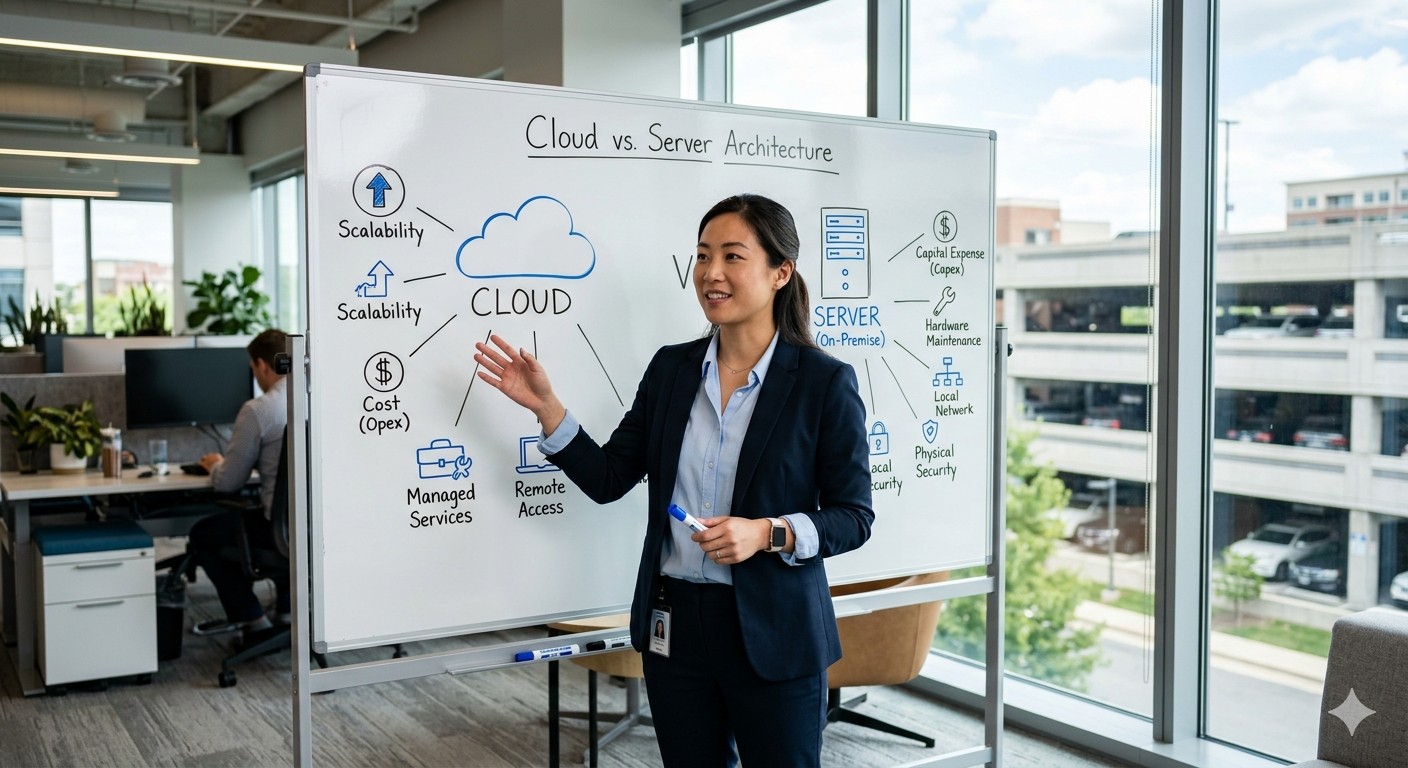
Ten years ago, parking payment software ran on a Windows PC in a utility closet somewhere inside the garage. The operator owned the hardware, installed the updates (or didn’t), and called the vendor when something broke. That model worked, but it imposed a ceiling on what operators could do — multi-site reporting was painful, remote access was a VPN adventure, and scaling meant buying more servers.
Today, the industry default has shifted toward cloud-hosted platforms. But “cloud” is not a single thing, and on-premise is far from dead. This article walks through both deployment models — along with the hybrid middle ground — so you can choose the approach that fits your operations, budget, and risk tolerance.
What “Cloud” and “On-Premise” Actually Mean
On-Premise
The management software runs on a physical server at your facility (or in your corporate data center). You own the hardware, control the operating system, manage backups, and apply patches. The pay stations and lane controllers connect to this local server over a wired LAN.
Cloud (SaaS)
The management software runs on the vendor’s infrastructure — typically AWS, Azure, or Google Cloud. You access it through a web browser. The vendor handles server maintenance, backups, scaling, and software updates. Your field devices connect to the cloud platform over the internet.
Hybrid
The field devices and local controller operate independently on-site (handling payments, rate calculations, and gate operations even when offline), but transaction data, reporting, and configuration sync to a cloud platform. This model gives you the resilience of on-premise with the convenience of cloud.
Most modern PARCS installations from Scheidt & Bachmann, Skidata, Flowbird, Hectronic, and T2 Systems now follow this hybrid pattern by default, even when marketed as “cloud.” The critical distinction is where the rate engine and payment authorization logic actually execute.
Comparison Table
| Criterion | On-Premise | Cloud (SaaS) | Hybrid |
|---|---|---|---|
| Upfront cost | Higher (server hardware) | Lower (subscription) | Moderate |
| Recurring cost | Lower (no SaaS fee) | Higher (monthly/annual) | Moderate |
| Total cost of ownership (5 yr) | Often lower for single-site | Often lower for multi-site | Varies |
| Software updates | Manual, operator-managed | Automatic, vendor-managed | Mixed |
| Multi-site management | Difficult | Native | Native |
| Internet dependency | None for core operations | High | Low for core, high for reporting |
| Data residency control | Full | Depends on vendor / region | Partial |
| Scalability | Hardware-bound | Elastic | Elastic for cloud functions |
| Disaster recovery | Operator-managed backups | Vendor-managed, geo-redundant | Split responsibility |
| Customization depth | High (full server access) | Limited (vendor controls stack) | Moderate |
The Financial Picture
On-Premise Cost Structure
On-premise deployments concentrate cost at the front end:
- Server hardware: $3,000 to $10,000 for a facility-grade server with redundant storage.
- Operating system and database licenses: $500 to $2,000 depending on whether the vendor requires Windows Server, SQL Server, or uses open-source alternatives.
- UPS and environmental controls: $1,000 to $3,000 for battery backup and cooling in the server closet.
- IT labor: Either internal staff time for maintenance or a managed-services contract at $200 to $600 per month.
- Software license: Typically a one-time perpetual license fee of $5,000 to $25,000, plus annual maintenance/support at 15 – 20 % of the license cost.
Cloud Cost Structure
Cloud deployments spread cost over time:
- SaaS subscription: $200 to $1,000 per facility per month, or $50 to $200 per device per month, depending on the vendor’s pricing model.
- No server hardware at the facility (though the local controller still requires an embedded processor or edge device).
- No OS or database licensing — included in the subscription.
- Minimal IT labor for the management platform, though someone still needs to maintain field devices and network infrastructure.
Break-Even Analysis
For a single facility with modest IT staff, on-premise is often cheaper over a five-year horizon because the perpetual license and server hardware are amortized. For operators managing five or more facilities, cloud subscriptions typically win because:
- There is no per-site server hardware to purchase and maintain.
- Multi-site reporting and rate management are included, not bolted on.
- Software updates happen automatically, avoiding the “version drift” problem where different sites run different software versions.
| Scenario | 5-Year On-Premise Cost | 5-Year Cloud Cost | Winner |
|---|---|---|---|
| Single garage, 200 spaces | $35,000 – $50,000 | $40,000 – $60,000 | On-Premise |
| 5 garages, shared management | $150,000 – $220,000 | $100,000 – $160,000 | Cloud |
| 20+ facilities, enterprise | $500,000+ | $300,000 – $450,000 | Cloud |
These are illustrative ranges. Request detailed TCO projections from each vendor using your actual site count, transaction volume, and support requirements.
Operational Differences
Software Updates
This is where the models diverge most in day-to-day operations.
On-premise: Updates are delivered as patches or new versions that your IT team installs during maintenance windows. Many operators defer updates because scheduling downtime is inconvenient — which means they fall behind on security patches and feature releases. It is not unusual to find facilities running software two or three major versions behind the current release.
Cloud: The vendor pushes updates to all customers simultaneously (or in staged rollouts). You get new features and security fixes without lifting a finger. The trade-off is that you cannot skip or delay an update you dislike, and an update that introduces a bug affects you immediately.
Multi-Site Management
If you operate more than one facility, cloud platforms offer a decisive advantage. Rate changes, credential updates, and reporting all happen from a single dashboard. On-premise systems require either VPN access to each site’s server or a separately licensed centralized management layer that adds cost and complexity.
Remote Diagnostics
Cloud platforms let the vendor’s support team see your system’s status in real time. When a pay station throws an error, the vendor can often diagnose the issue remotely before dispatching a technician. On-premise systems require the operator to describe the problem over the phone or grant remote-desktop access — a slower and less reliable process.
Security Considerations
PCI DSS Scope
Both models must comply with PCI DSS requirements for handling cardholder data. The key question is scope — how much of the compliance burden falls on you versus the vendor.
- On-premise: The server in your facility processes and stores transaction data, which places it squarely in your PCI scope. You are responsible for firewall configuration, access controls, log monitoring, and vulnerability scanning for that server.
- Cloud: The vendor’s cloud infrastructure handles transaction data, and the vendor holds a PCI DSS Attestation of Compliance (AOC) for their environment. Your PCI scope is reduced to the field devices and the network path between them and the cloud. This is a meaningful reduction in compliance effort.
Data Residency
Some operators — particularly government agencies and healthcare systems — have data residency requirements that mandate where transaction records are stored. On-premise gives you complete control: the data lives on your server, in your building. Cloud vendors may store data in data centers across multiple regions. If residency matters, confirm which region(s) the vendor uses and whether you can specify a single region.
Encryption and Access Control
Both models should provide:
- Encryption at rest (AES-256) for stored transaction data
- Encryption in transit (TLS 1.2+) for all network communication
- Multi-factor authentication for administrative access
- Role-based access control with audit logging
If a vendor’s cloud platform does not offer MFA, consider it disqualifying.
Reliability and Uptime
On-Premise Resilience
On-premise systems are not dependent on internet connectivity for core operations. The local server runs the rate engine, processes payments (via a direct connection to the payment processor), and controls gates. An internet outage means you lose cloud reporting and remote access, but revenue collection continues.
The risk is hardware failure. If the on-premise server dies and you do not have a hot standby, the system is down until the hardware is replaced.
Cloud Resilience
Cloud platforms run on infrastructure designed for high availability — multiple data centers, automatic failover, 99.9 % or higher uptime SLAs. The vendor’s infrastructure is almost certainly more resilient than a single server in your utility closet.
The risk is the network path. If your facility’s internet connection goes down, cloud-dependent functions (reporting, remote management, real-time dashboards) are unavailable. This is why the hybrid model, with local controllers that operate independently, has become the industry standard.
Uptime Comparison
| Failure Scenario | On-Premise Impact | Cloud Impact | Hybrid Impact |
|---|---|---|---|
| Internet outage at facility | No impact on core ops | Reporting/management down | Reporting/management down |
| Local server failure | Full system down | No impact (no local server) | Core ops continue on controller |
| Cloud provider outage | No impact | Reporting/management down | Reporting/management down |
| Power outage at facility | All devices down (unless UPS) | All devices down (unless UPS) | All devices down (unless UPS) |
The Hybrid Reality
In practice, the “cloud vs. on-premise” binary is increasingly artificial. The architecture that most vendors ship today is hybrid:
- Field devices and local controllers operate on-site, handling payment processing, rate calculations, and gate control with or without internet connectivity.
- The management platform runs in the cloud, providing multi-site dashboards, reporting, configuration, and remote diagnostics.
- Data syncs bidirectionally — transactions flow up to the cloud in near-real time; rate changes and credential updates push down from the cloud to the local controllers.
This model gives operators the best of both worlds: local resilience for revenue-critical functions and cloud convenience for management functions. Cloud-connected management platforms from Flowbird, Scheidt & Bachmann, Hectronic, and T2 Systems all follow this pattern, syncing local transaction data upstream while keeping rate logic on-site.
Migration Considerations
Moving from On-Premise to Cloud
If you are running an on-premise system and considering a cloud migration:
- Inventory your customizations. On-premise systems often accumulate custom scripts, database views, and integrations over the years. Document these before migrating.
- Negotiate data migration. Ensure the vendor commits to importing your historical transaction data into the cloud platform. Losing five years of parking data during a migration is unacceptable.
- Plan for connectivity. Audit each facility’s internet service. If any site has unreliable connectivity, upgrade it before cutover or ensure the local controller has robust offline capabilities.
- Test in parallel. Run both systems simultaneously for 30 to 60 days before decommissioning the on-premise server.
Moving from Cloud to On-Premise
This is less common but happens when operators encounter data-residency issues, escalating SaaS costs, or vendor instability. The critical step is confirming data portability — can you export your complete transaction history, rate configurations, and credential database in a standard format? This should be a contractual requirement from day one.
For a broader look at what to evaluate when choosing a platform, see How Parking Payment Systems Work for the architectural context, and our guide on PCI Compliance for Parking Payment Systems for the security deep dive.
Decision Framework
Use these questions to guide your deployment choice:
- How many facilities do you manage? Multi-site operators almost always benefit from cloud. Single-site operators have a genuine choice.
- What is your internal IT capacity? If you have a dedicated IT team comfortable managing servers, on-premise is viable. If parking is managed by a property team without IT support, cloud reduces operational risk.
- What are your data residency requirements? Regulated industries (healthcare, government) may require on-premise or a cloud vendor with region-specific data centers.
- How reliable is internet connectivity at each site? Poor connectivity makes cloud-only architectures risky. Hybrid with strong local controllers mitigates this.
- What is your budget profile? Capital-expenditure-oriented organizations may prefer on-premise’s upfront-heavy model. Operating-expenditure-oriented organizations may prefer cloud subscriptions.
- How important is real-time multi-site visibility? If executive reporting, centralized rate management, and remote diagnostics are priorities, cloud delivers these natively.
Bottom Line
- The cloud vs. on-premise debate is largely settled: hybrid is the pragmatic winner for most parking operators, combining local resilience with cloud convenience.
- Cloud platforms reduce IT burden, simplify multi-site management, and accelerate software updates, but they require reliable internet connectivity and clear data-residency terms.
- On-premise remains a valid choice for single-site operators with strong IT teams and specific data-control requirements.
- Regardless of deployment model, insist on data portability, PCI DSS compliance documentation, and a defined offline-operation capability.
- The International Parking & Mobility Institute publishes deployment guidance and case studies that can help you benchmark your decision against peer facilities.
The right deployment model is the one that matches your operational capacity and growth trajectory — not the one that sounds most modern in a sales presentation.